Staying ahead of IT issues is critical for any business that relies on technology. Proactive IT monitoring helps you spot problems before they cause major disruptions. In this blog, you’ll learn what proactive IT monitoring is, why it matters, and how to use it to keep your systems running smoothly. We’ll also cover best practices, monitoring strategies, and how to avoid costly downtime by using the right tools and methods. Expect practical tips, real-world examples, and guidance on metrics, alerts, and performance indicators that matter most for your business.
What is proactive IT monitoring and why does it matter?
Proactive IT monitoring is the process of continuously checking your IT systems to detect and fix issues before they impact your business operations. Unlike reactive approaches, where you only respond after something breaks, proactive monitoring helps you avoid unexpected outages and performance degradation. This means your team can focus on their work without worrying about sudden downtime or slow response times.
By setting up real-time alerts and using a reliable monitoring tool, you gain better visibility into your systems. You can track key metrics, set thresholds, and compare performance against a baseline. This approach not only helps you detect potential problems early but also supports capacity planning and ensures optimal performance. The result is fewer disruptions, better uptime, and more reliable IT support for your business.

Common strategies for proactive IT monitoring success
There are several strategies you can use to make proactive IT monitoring more effective. Here are some of the most important ones to consider:
Strategy #1: Define clear monitoring goals
Start by identifying what you want to achieve with proactive IT monitoring. Decide which systems, applications, or endpoints are most critical to your business. Setting clear goals helps you focus your efforts and measure success.
Strategy #2: Choose the right monitoring tool
Not all monitoring tools are created equal. Look for solutions that offer real-time alerts, customizable dashboards, and integration with your existing systems. The right tool can make it easier to detect issues and respond quickly.
Strategy #3: Set up automated alerts
Automated alerts notify you when something goes wrong or when a metric crosses a set threshold. This allows your team to resolve issues before they escalate into bigger problems or cause downtime.
Strategy #4: Establish a baseline for performance
Understanding what “normal” looks like for your systems is key. By establishing a baseline, you can quickly spot deviations that might signal potential issues, such as performance degradation or increased error rates.
Strategy #5: Use continuous monitoring
Continuous monitoring means your systems are always being checked, not just during business hours. This approach helps you detect problems at any time, reducing the risk of an outage or performance issues.
Strategy #6: Analyze trends and metrics
Regularly review your monitoring data to identify trends, such as recurring errors or slow response times. This helps you plan improvements and prevent future problems.
Key benefits of proactive IT monitoring
Proactive IT monitoring offers several important advantages for businesses:
- Reduces downtime by catching issues before they become outages.
- Improves system performance and user experience.
- Supports better capacity planning and resource allocation.
- Helps maintain compliance with industry regulations.
- Increases visibility into your IT environment for faster decision-making.
- Enables more efficient IT support and problem resolution.
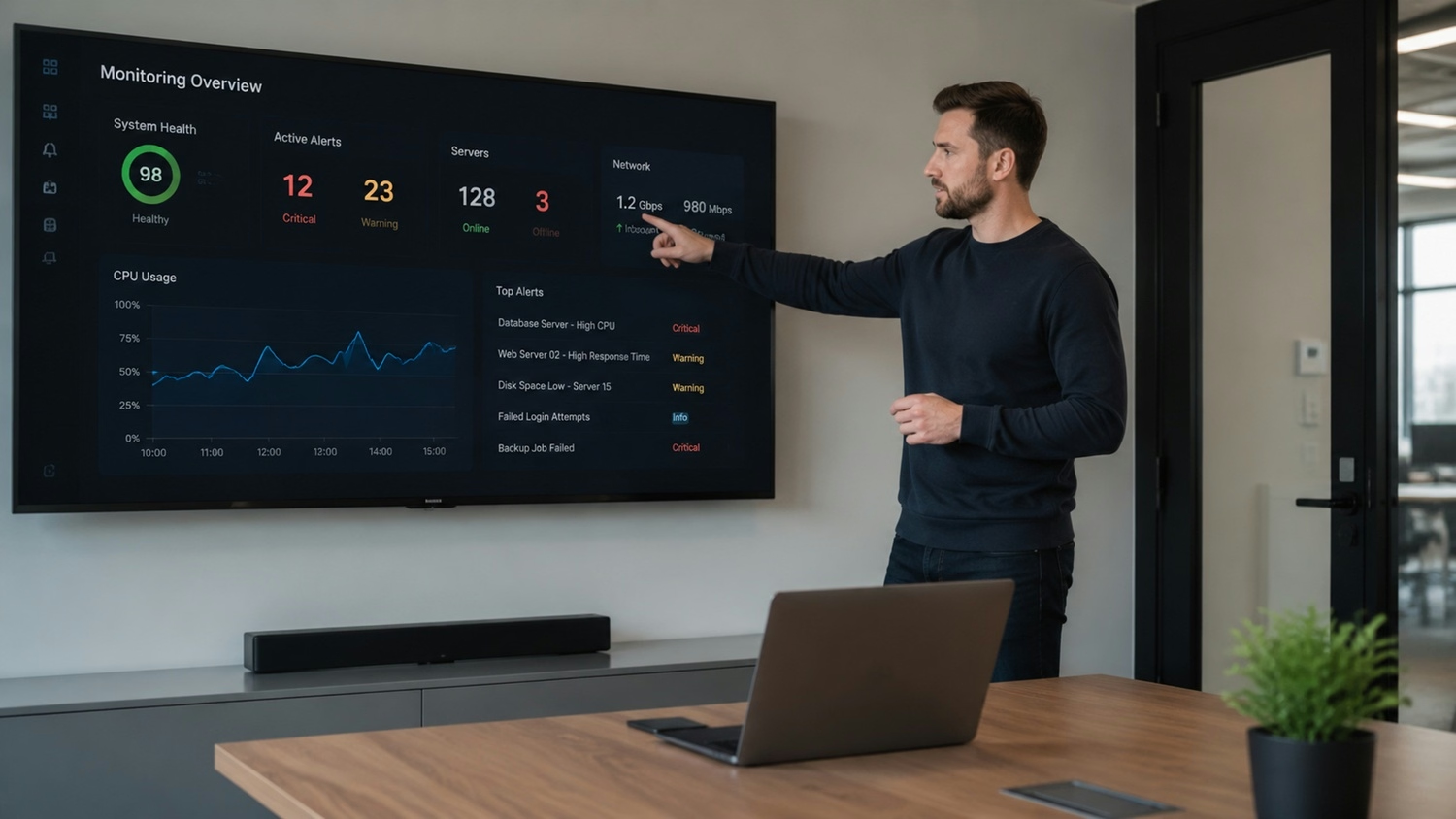
The difference between proactive and reactive monitoring
It’s important to understand how proactive IT monitoring differs from reactive monitoring. Reactive monitoring only kicks in after a problem has already occurred—like when a server goes down or an application crashes. By then, your business may already be facing lost productivity and unhappy users.
Proactive monitoring, on the other hand, is about staying ahead of problems. By continuously monitoring performance indicators and setting up alerts, you can detect early warning signs—such as increased error rates or slow response times—and take action before users are affected. This approach minimizes downtime and keeps your business running smoothly.
Best practices for implementing proactive IT monitoring
To get the most out of proactive IT monitoring, follow these best practices. Each step builds on the previous one to create a reliable and effective monitoring strategy.
Best practice #1: Involve key stakeholders
Bring together IT staff, business leaders, and end users to define monitoring requirements. This ensures your monitoring strategy aligns with business goals and user needs.
Best practice #2: Prioritize critical systems
Focus your monitoring efforts on the systems and applications that are most important to your business operations. This helps you allocate resources effectively and reduce risk.
Best practice #3: Regularly review and update monitoring rules
As your business changes, so do your IT needs. Review your monitoring rules and thresholds regularly to make sure they still make sense and provide value.
Best practice #4: Train your team on alert response
Make sure your IT staff know how to respond to alerts quickly and effectively. This reduces response time and helps resolve issues before they impact users.
Best practice #5: Integrate machine learning for smarter monitoring
Modern monitoring tools often include machine learning features that can detect unusual patterns and predict potential issues. Using these features can make your monitoring more accurate and proactive.
Best practice #6: Document your monitoring processes
Keep clear records of your monitoring setup, rules, and response procedures. This makes it easier to onboard new team members and maintain consistency.

How to implement proactive IT monitoring in your business
Implementing proactive IT monitoring is a step-by-step process. Start by assessing your current IT environment and identifying the systems that need the most attention. Next, select a monitoring tool that fits your business size and technical requirements. Make sure it supports real-time alerts, customizable dashboards, and integration with your existing systems.
Once your tool is in place, configure it to monitor key metrics and set thresholds for alerts. Establish a baseline for normal performance so you can quickly spot deviations. Train your team on how to interpret alerts and respond effectively. Finally, review your monitoring data regularly and adjust your strategy as needed to keep up with changes in your business.
Common challenges when adopting proactive IT monitoring
Even with the best intentions, businesses can face obstacles when rolling out proactive IT monitoring. Here are some of the most common challenges:
- Choosing a monitoring tool that fits your needs and budget can be difficult.
- Setting the right thresholds for alerts without causing alert fatigue.
- Integrating monitoring with existing IT systems and workflows.
- Ensuring continuous monitoring across all endpoints and devices.
- Training staff to respond quickly and effectively to alerts.
- Keeping up with changes in technology and business requirements.
Addressing these challenges early can help you build a more reliable and effective proactive IT monitoring system.

How AboutIT Can Help with proactive IT monitoring
Are you a growing business looking to reduce downtime and improve your IT reliability? If you want to avoid costly outages and keep your systems performing at their best, proactive IT monitoring is essential.
We understand the challenges of keeping your technology running smoothly. Our team offers tailored IT consulting services and proactive monitoring recommendations to help you set up, manage, and optimize your monitoring strategy. Contact us today to see how AboutIT can support your business.
Frequently asked questions
What is the main difference between proactive monitoring and reactive monitoring?
Proactive monitoring focuses on detecting potential issues before they impact your business, while reactive monitoring only responds after a problem has occurred. By using proactive IT monitoring, you can set up real-time alerts and track key metrics to prevent downtime and performance issues. This approach helps you resolve issues faster and maintain optimal performance.
How can I choose the best monitoring tool for my business?
Look for a monitoring tool that offers customizable dashboards, automated alerts, and integration with your existing systems. Consider your business size, technical requirements, and the types of endpoints you need to monitor. A good tool should support continuous monitoring and provide clear visibility into your IT environment.
What are the benefits of proactive IT support?
Proactive IT support helps you avoid unexpected outages and performance degradation by addressing potential problems early. This approach improves uptime, reduces error rates, and supports better capacity planning. It also allows your team to focus on business operations instead of constantly reacting to IT issues.
Why is understanding proactive monitoring important for my business?
Understanding proactive monitoring helps you make informed decisions about your IT strategy. It enables you to detect performance indicators that signal potential problems, set effective thresholds, and ensure your systems run smoothly. This knowledge is key to maintaining business continuity and achieving your goals.
How does machine learning improve proactive IT monitoring?
Machine learning can analyze large amounts of monitoring data to detect unusual patterns and predict future issues. By integrating machine learning into your proactive IT monitoring strategy, you can identify problems before they escalate and automate responses for faster resolution. This leads to more reliable systems and better user experience.
What are some best practices for setting up alerts in proactive IT monitoring?
Set clear thresholds for alerts based on your baseline performance and business needs. Avoid setting thresholds too low, which can cause alert fatigue, or too high, which might let issues go unnoticed. Regularly review and adjust your alert settings to match changes in your IT environment and ensure effective proactive monitoring.